
QR Menu System for Restaurants India 2026 | RestroKhata
 RestroKhata Team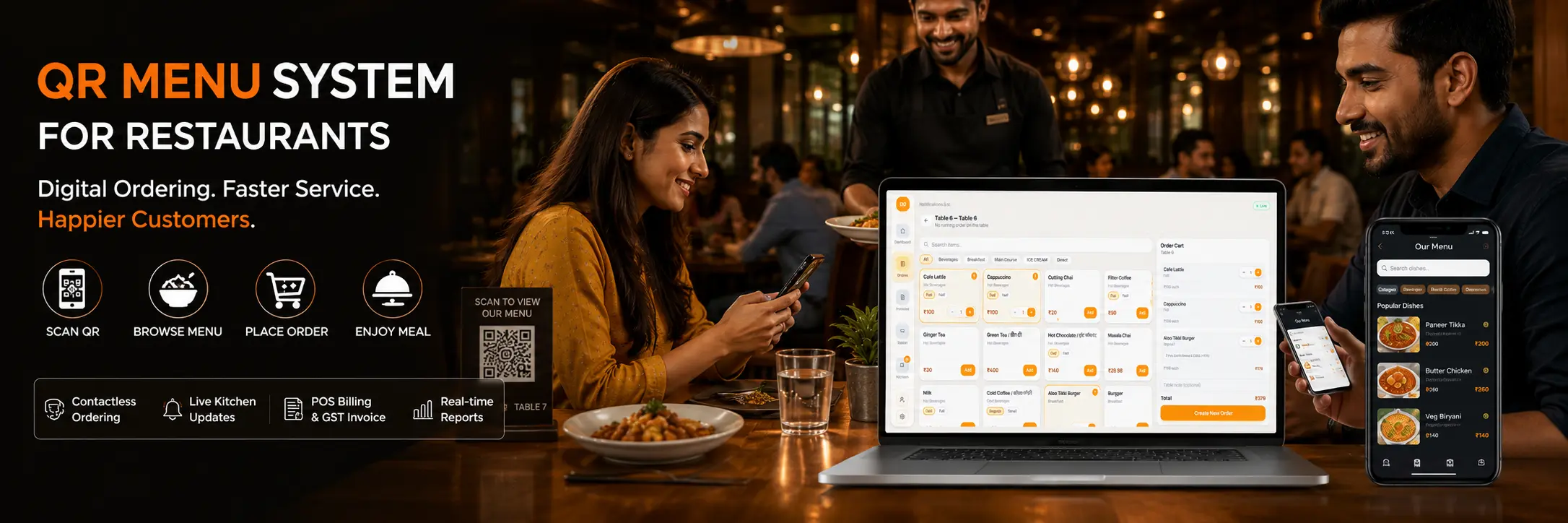
Why Restaurants in India Are Switching to Digital QR Menu Systems in 2026
Imagine this: A customer walks into your restaurant, sits at the table, and within 10 seconds - they are browsing your full menu on their phone. No waiting for a waiter. No outdated printed card. No wrong orders.
This is the reality for thousands of restaurants across India that have already switched to a Digital QR Menu System.
If you are still using printed menus, you are losing money every single month - on reprinting costs, slow service, wrong orders, and customers who simply don't come back.
In this guide, you will learn:
- What a QR menu system is and how it works
- Why traditional menus are hurting your restaurant business
- What features to look for in a restaurant QR menu software
- How RestroKhata helps restaurants go fully digital - with billing, POS, and GST included
What is a Digital QR Menu System?
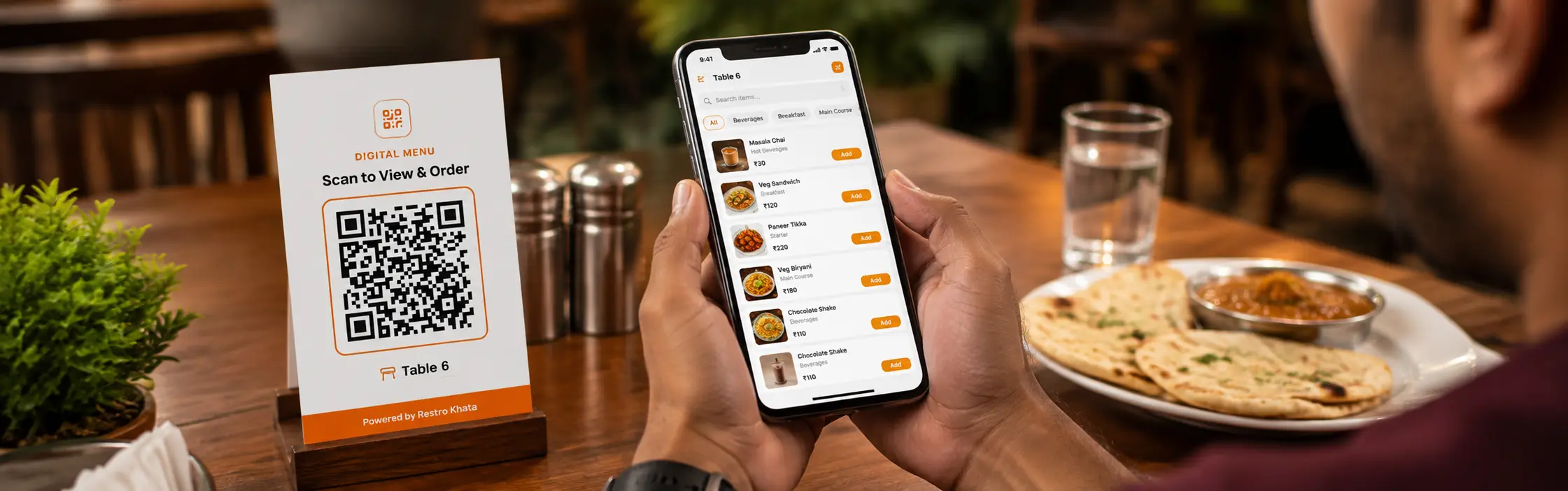
A Digital QR Menu System is a restaurant software solution where a QR code is placed on every table or counter. When customers scan it using any smartphone camera, they instantly see your full restaurant menu - no app download required.
Depending on the system you choose, customers can:
- Browse the full menu with photos and prices
- Filter by category (starters, main course, beverages, etc.)
- Check live item availability
- Place orders directly from their phone
- Track their order status in real time
Modern platforms like RestroKhata also connect your QR menu directly with your kitchen display, POS billing, and GST invoice generation - creating a fully automated restaurant workflow.
5 Problems That Are Costing Your Restaurant Money Right Now
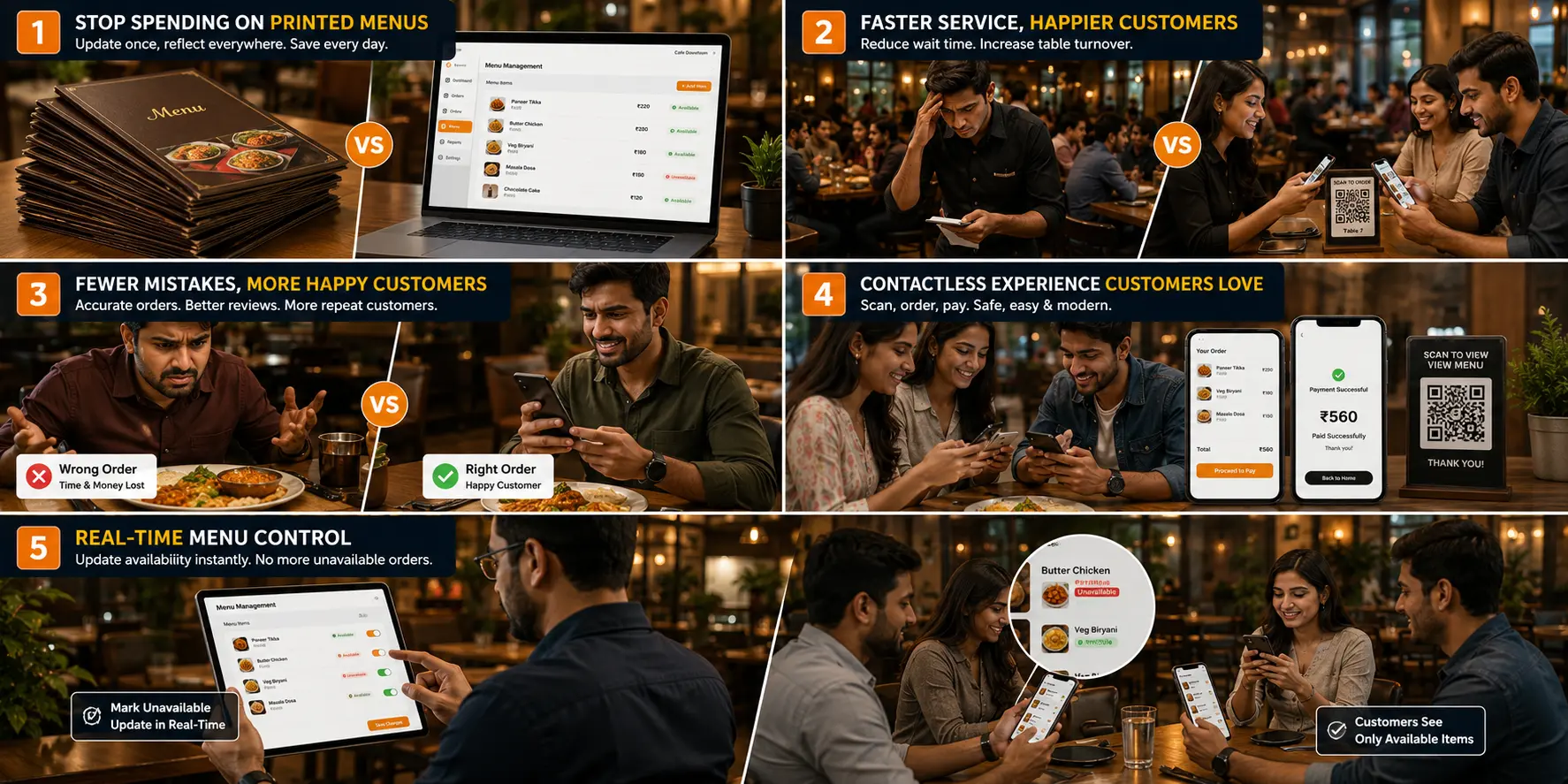
1. Printed Menu Reprinting Costs Add Up Fast
Every time you:
- Change a price
- Add a new dish
- Remove an unavailable item
- Launch a seasonal offer
...you have to reprint all your menus. For a restaurant with 20+ tables, this can cost ₹3,000 to ₹15,000 per reprint cycle - multiple times a year.
With a digital QR menu, you update items in seconds from your phone or laptop. Changes go live instantly across all tables.
2. Slow Order-Taking During Peak Hours Kills Revenue
During lunch and dinner rushes, your waiters are stretched thin:
- Running between tables
- Repeating menu items verbally
- Taking handwritten notes
- Re-entering orders at the counter
This creates delays, frustrated customers, and missed orders. A table QR ordering system lets customers send their order directly to the kitchen - your staff only needs to serve and collect payment.
3. Wrong Orders = Lost Customers
Manual order-taking is error-prone. A misheard item, a forgotten modifier ("no onion"), or a mixed-up table number can ruin a customer's experience.
Studies show that 1 wrong order = 1 lost customer. With digital ordering, the customer selects exactly what they want. No miscommunication. No mistakes.
4. Customers Now Expect Contactless Dining
Post-2022, customer behavior has permanently changed in India. Urban diners - especially those aged 18-40 - now prefer restaurants that offer:
- QR code menus
- Digital payment options
- Mobile ordering
- Paperless billing
If your restaurant doesn't offer this, you are already losing those customers to competitors who do.
5. No Real-Time Menu Control
With printed menus, when an item runs out - your staff has to awkwardly tell every table "sorry, that's not available."
With a smart QR menu system, you can mark items as unavailable in real time. Customers see only what you can actually serve - reducing frustration and refusals.
3 Types of QR Menu Systems - Which One Does Your Restaurant Need?
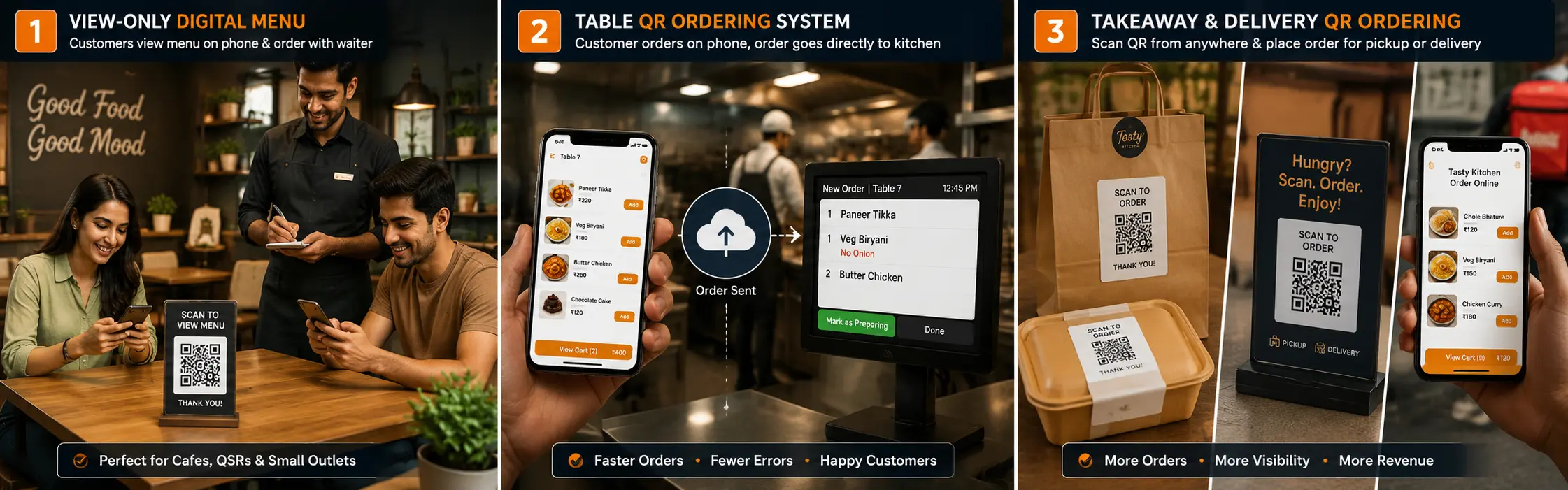
Type 1: View-Only Digital Menu (Entry Level)
Best for: Small cafes, dhabas, QSRs, food stalls
Customers scan and view the menu only. They still call the waiter to order. This is the simplest upgrade from a printed menu.
Pros: Low cost, easy to set up, no training needed
Cons: Doesn't reduce staff workload for order-taking
Type 2: Table QR Ordering System (Most Popular)
Best for: Restaurants, cloud kitchens, multi-table setups
Each table has its own unique QR code. Customers:
- Scan the table QR
- Browse the full menu
- Add items to cart
- Place the order - which goes directly to the kitchen
No waiter needed for order-taking. Staff focuses on food delivery and service quality.
Pros: Faster service, fewer errors, less staff needed
Bonus: Higher average order value (customers explore more when browsing digitally)
Type 3: Takeaway & Delivery QR Ordering
Best for: Bakeries, juice bars, parcel-focused outlets, cloud kitchens
QR codes placed on:
- Packaging and bags
- Counter standees
- Posters and banners
- Social media bio links
Customers scan and order from anywhere - no need to walk in or call.
Pros: Increases takeaway orders, builds repeat customer base
What Features Should You Look for in a QR Menu System?
Not all QR menu software is the same. Before choosing one, make sure it has:
| Feature | Why It Matters |
|---|---|
| Instant mobile loading | Slow menus = customers abandon. Your menu should load in under 2 seconds |
| No app download required | Customers won't download an app just to see your menu |
| Live menu editing | Update prices, items, and availability in real time |
| Table-wise QR codes | Each table's orders are tracked separately |
| Kitchen order display | Orders go directly to kitchen without paper tickets |
| Integrated billing & POS | One system from order to invoice - no duplicate entry |
| GST invoice generation | Auto-generate GST bills for compliant businesses |
| Restaurant branding | Your logo, colors, and style on the menu |
| Thermal printer support | Print KOTs and bills on standard thermal printers |
| Analytics & reports | Know your best-selling items, peak hours, revenue trends |
How RestroKhata's QR Menu System Works - Step by Step
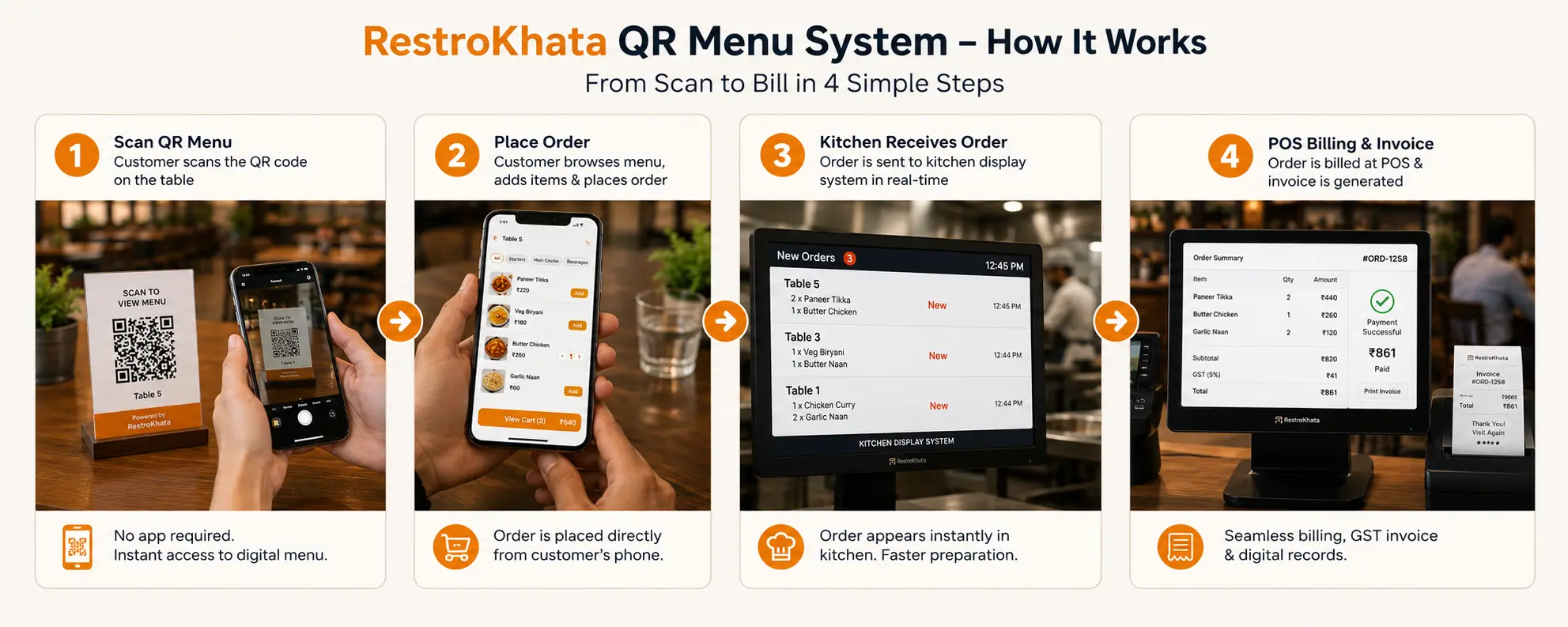
RestroKhata is built specifically for Indian restaurants, cafes, hotels, and food outlets. Here's how the complete system works:
Step 1: Set Up Your Digital Menu
Add your categories, items, prices, and photos in the RestroKhata dashboard. Takes less than 30 minutes for most restaurants.
Step 2: Generate Table QR Codes
RestroKhata generates a unique QR code for each table in your restaurant. Print them and place on tables - done.
Step 3: Customer Scans and Orders
Customer scans the QR code. Menu opens instantly on their phone. They browse, select items, and place the order.
Step 4: Order Goes to Kitchen Automatically
The kitchen display or printer receives the order instantly. No shouting, no paper slips, no errors.
Step 5: Billing and GST Invoice
When the customer is ready to pay, generate a bill with one click - complete with GST breakdown, table number, and itemized list.
RestroKhata Features at a Glance
QR Menu & Ordering
- Dynamic table QR codes
- Takeaway QR ordering
- View-only or order-enabled menus
- Real-time item availability toggle
- Multi-category menu with photos
Billing & POS
- Fast POS interface for counter billing
- Split bill support
- GST invoice generation (CGST/SGST/IGST)
- Thermal printer integration (Bluetooth & USB)
- Digital payment support
Management & Reports
- Live order tracking
- Table management dashboard
- Sales reports by date, item, and category
- Staff performance tracking
- Low stock alerts
Built for India
- Works on any Android or iOS device
- Hindi and regional language support (coming soon)
- Designed for Indian GST compliance
- Affordable pricing for small and medium restaurants
Who Uses RestroKhata?
RestroKhata is trusted by:
- Restaurants - Full-service dine-in with table ordering
- Cafes & Bakeries - Quick menu updates and contactless service
- Cloud Kitchens - Takeaway and delivery QR ordering
- Dhabas & Food Stalls - Simple digital menu, no printed cards
- Hotels & Resorts - Room service QR ordering
- Food Courts - Multi-counter QR management
QR Menu vs Traditional Menu: Quick Comparison
| Factor | Traditional Printed Menu | RestroKhata QR Menu |
|---|---|---|
| Update menu items | Reprint (cost + delay) | Instant, from phone |
| Order accuracy | Error-prone | 100% accurate |
| Peak hour efficiency | Low | High |
| Printing cost | ₹3,000-₹15,000/year | ₹0 |
| Contactless experience | No | Yes |
| Kitchen integration | Manual | Automatic |
| GST billing | Separate software | Built-in |
| Customer experience | Average | Modern & fast |
Frequently Asked Questions (FAQ)
Does the customer need to download any app to use the QR menu?
No. The menu opens directly in the phone's browser when the customer scans the QR code. No app download required.
Can I use RestroKhata QR menu for takeaway orders only?
Yes. You can generate a universal QR code for takeaway/parcel orders and share it on social media, packaging, or at your counter.
Does RestroKhata work with thermal printers for KOT and billing?
Yes. RestroKhata supports Bluetooth and USB thermal printers for kitchen order tickets and customer bills.
Is GST billing included in RestroKhata?
Yes. RestroKhata automatically generates GST-compliant invoices with CGST, SGST, and IGST breakdown.
Can I manage multiple restaurant locations with RestroKhata?
Multi-outlet support is currently on our roadmap. Once launched, existing users will be able to manage multiple locations from a single dashboard.
How long does it take to set up?
Most restaurants go live within 1-2 hours. Our support team helps with initial setup.
Real Results Restaurants Are Seeing After Switching to QR Menus
Industry reports and early customer feedback suggest that restaurants using digital QR menu systems report:
- 30-50% reduction in order-taking time per table
- 20-35% fewer order mistakes
- ₹5,000-₹20,000 saved annually on menu printing
- Higher average order value - customers spend more when browsing digitally
- Better customer reviews - faster, modern, and error-free service
The Future of Restaurant Ordering in India
India's restaurant industry is growing fast - and so is customer expectation. By 2027, digital QR ordering is expected to become the standard operating practice for urban restaurants across India.
Restaurants that adopt digital systems now will:
- Build a modern brand image
- Attract tech-savvy urban customers
- Reduce operating costs significantly
- Scale operations without proportionally increasing staff
Waiting to switch means falling behind competitors who are already offering a smarter dining experience.
No credit card required